

Troi Grabber Plug-in adds video image grabbing functions to FileMaker Pro. With it you can take a picture from a video camera and put it into a container field. And it can record movies too, all from FileMaker Pro!

FileMaker Pro 10-13*
macOS X 10.4.5 – 10.12
Windows XP-10
With Troi Grabber you can show a live video preview and let the user click to grab the current image into a container.
With the plug-in installed you can do all this from within FileMaker:
 You can record a movie from a video input source in a separate window or even on the same FileMaker layout. Show a movie grabber window and let the user start and stop the recording by clicking on a button. You can also record for a specified number of seconds. The recorded movie is saved to a specified path on the hard disk, and inserted as a reference in the FileMaker database. And if the video source has a timecode a timecode track is also created! This is usually the case with a FireWire connection and a DV camcorder.
Troi Grabber Plug-in can get timecodes of a recorded movie. In the download you find example files showing how to record and then insert a movie into a container field. The selection of where the movie must be saved is done in cooperation with the Troi File Plug-in.
You can rotate the image 90, -90 or 180 degrees. With this you can not only capture images in landscape but also capture images in portrait orientation.
It is possible to define a rectangle that will be super imposed on top of the image preview. This cropping rectangle enables you to visually select a part of the video image. You can grab only the part of the image that is inside the cropping rectangle or you can still grab the complete image. You can even do both at the same time!
On Mac OS X you need QuickTime version 7 or higher installed and a video input source that is compatible with QuickTime. Examples of these inputs are the built-in iSight (on MacBooks), DV camera connected to a FireWire port, the video-in port on AV Macs and several web cams.
On Windows you need a TWAIN compatible input source, like a video camera (Cam Corder), and installed TWAIN drivers for this input source.
We are sure you can come up with some great ideas yourself!
You are free and invited to test the plug-in before you pay. Troi Grabber Plug-in is fully functional in demo mode, it will only stop working after 2 hours of testing. Download your copy here.
Troi Grabber Plug-in 2.3 adds support for FileMaker Pro 12 and 13, with examples in the .fmp12 format. It also adds the EasyInstallTroiPlugins.fmp12 example which demonstrates how to automatically install the plug-in directly from a container field.
See the Version history below for a complete list of changes in this and earlier versions.
Version 2.3 for FileMaker 10 through 12 (April 19th, 2012)
Version 2.2.1 for FileMaker 9 through 11 (September 12th, 2011)
Version 2.2 for FileMaker 9 through 10 (November 16th, 2009)
Version 2.1 for FileMaker 9 through 10 (October 6th, 2009)
Version 2.0 for FileMaker Pro 9 and 10 (June 29th, 2009)
Version 1.9b0 beta for FileMaker Pro 9 and 10 (June 9th, 2009)
Version 1.5 (April 18th, 2002)
Version 1.4b1(March 3rd, 2000)
Version 1.2.1 (August 16th, 2000)
Version 1.2 (November 4th, 1999)
Version 1.1 (June 30th, 1999)
Version 1.0.1b1 (March 31th, 1999) (first Windows version)
Version 1.0 (November 09th, 1998) first release
We offer the following license for Troi Grabber Plug-in:
developer license: this license is meant for FileMaker solution developers, who want to include the plug-in with their solution(s) and distribute it to their end-users. Each of your end-users may use the plug-in with up to 25 users (contact us if any of your customers has more than 25 users). The number of organizations you distribute the plug-in to and the number of solutions you distribute it with are not limited. Works on FileMaker Pro and FileMaker Pro Advanced, including with files hosted by FileMaker Server.
Go to the developer license page for more info.
Licenses work both on macOS and on Windows.
| developer license | US $ 999 |
Upgrading to version 2.3 is free for all registered users of version 2.x. The 2.3 version works with the same 2.0 registration string. To upgrade in this case you can simply download and install the 2.3 version on your system. If you have a license for a version prior to v2.0, you can buy an upgrade for version 2.3:
| developer license upgrade | US $ 499 |
Please contact Troi if you want to upgrade from a different license bought in the past.
Below are a few things our users had to say about Troi Grabber Plug-in:
I just wanted to drop a line to let you know that we really appreciate you working with us on this. I’ve been using your plugins (Dialog and File) for a long, long time here at SBCNE and have always been happy with them and your service. The fact that you are willing to modify a plugin to meet current technology needs, ie Grabber in the situation we were just in, is VERY helpful to us and our clients.
Again….Thank YOU!!!!”
Matt Klein, Small Business Computers of New England, Inc.
We are still collecting more comments. If you have any remarks on the Grabber Plug-in please send us your comments. Thanks!
*This plug-in will currently not run on FileMaker Pro 14 and later (64-bit). To use this plug-in with FileMaker Pro 14 please try running FileMaker Pro 14 in 32-bit mode. See the FileMaker 14 compatibility page for more info.
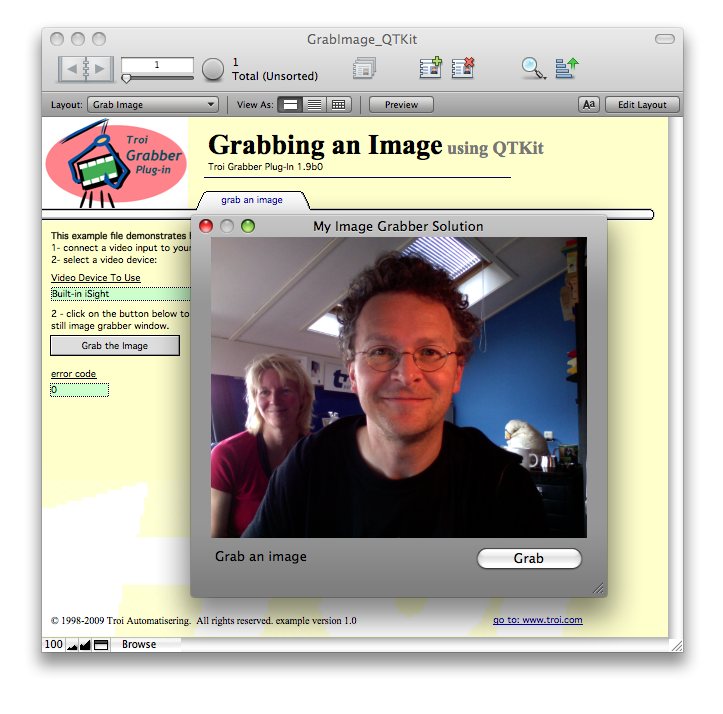
Grab an image from a grab window
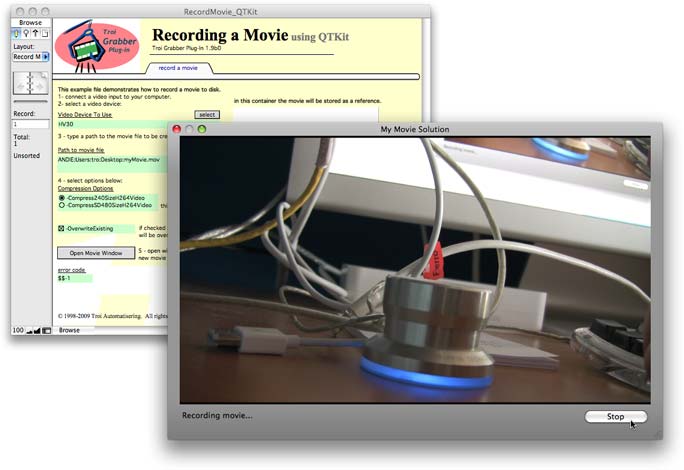
Grab a movie from a separate window
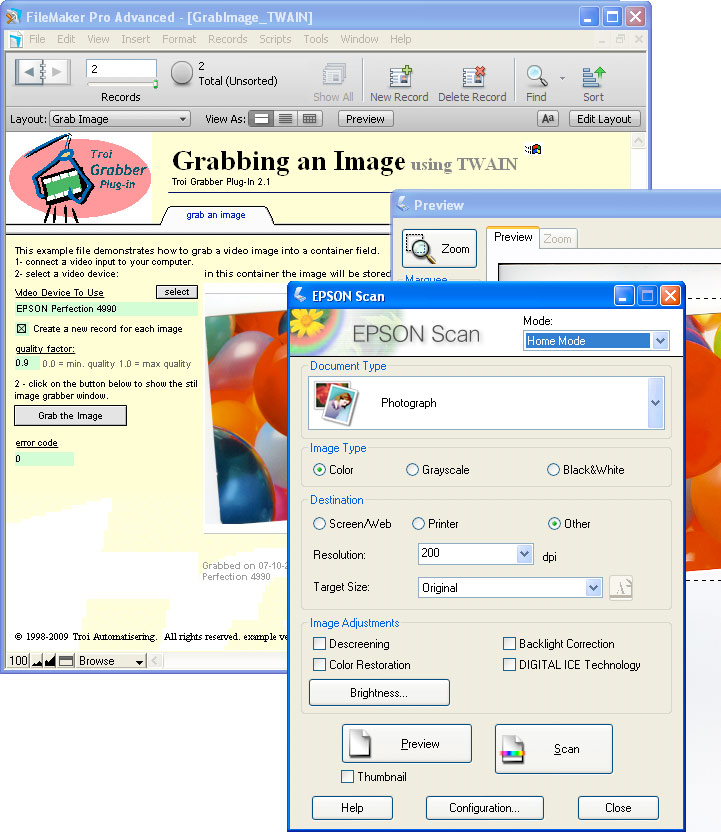
Scan with a TWAIN scanner on Windows
Grabber Plug-in Conversion from FileMaker Pro 6
(Older) information on how to convert databases which use Troi Grabber from FileMaker Pro 6 to FileMaker Pro 7 and later.
Record pictures and movies directly with FileMaker Pro.