

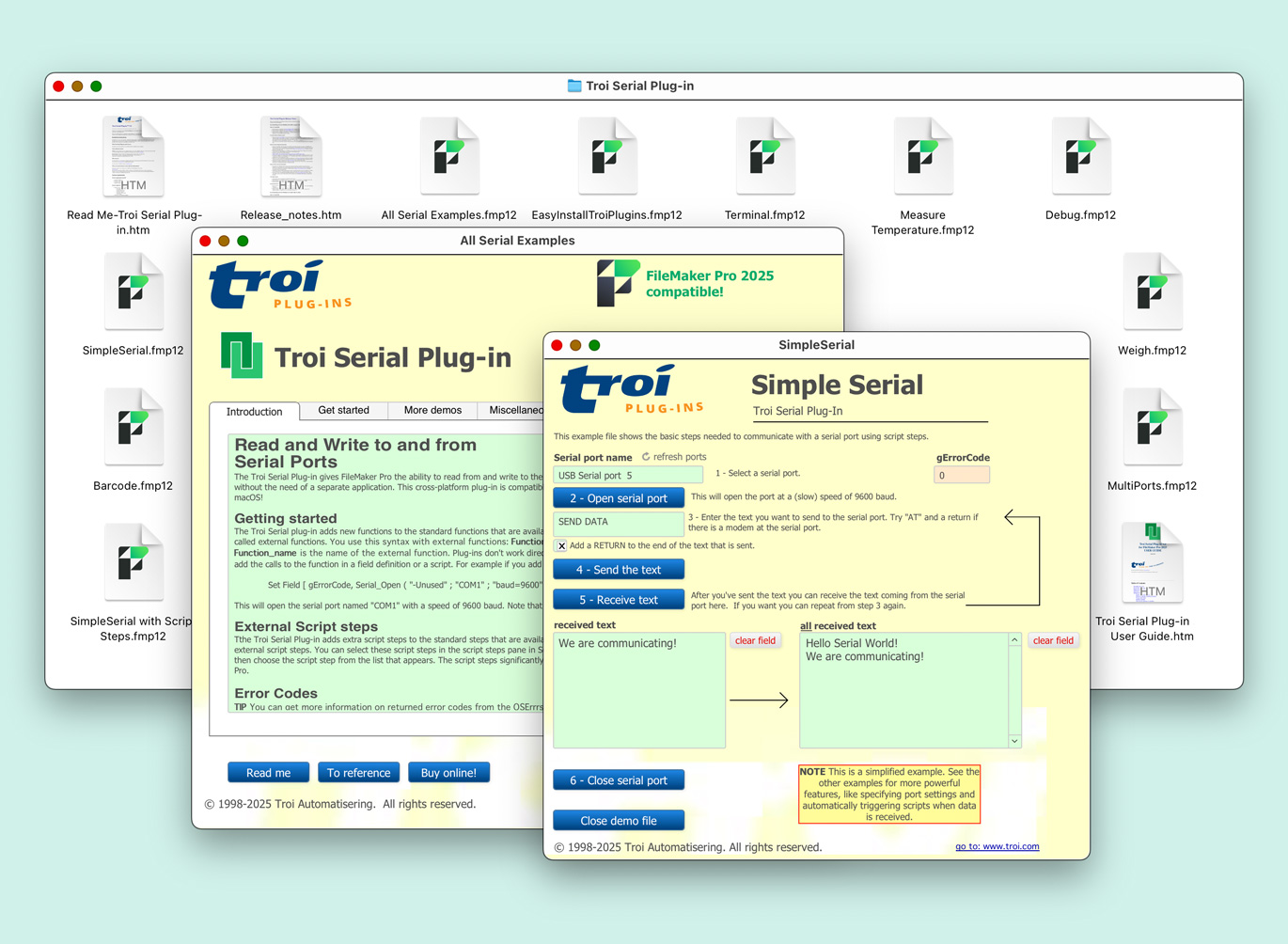
Troi Serial Plug-in gives FileMaker Pro the ability to read from and write to all devices with a serial interface, without the need of a separate application.

Troi Serial Plug-in gives FileMaker Pro easy and powerful access to external devices with a serial (RS232) interface:
Troi Serial Plug-in has a great debug function, making setup of databases a breeze for our users. You can troubleshoot by testing the arrival of data at the serial port and you can test script triggering too.
Troi Serial Plug-in can be reinitialized without quitting FileMaker Pro. This makes it possible to accommodate new or different serial ports dynamically, for example when you plug in a USB to serial adaptor.
Another powerful feature is getting the last match string that was received, for example a return character to get the last line that was received.
The possibilities are only limited by your imagination!
You are free and invited to test the plug-in before you pay. Troi Serial Plug-in is fully functional in demo mode, it will only stop working after 2 hours of testing. Download your copy here.
Version 9.1 is tested and made compatible with Claris FileMaker 2025 (FileMaker Pro 22.0) and Claris FileMaker 2024 (FileMaker Pro 21.0). It is also tested and made compatible with macOS 15 (Sequoia) and 14 (Sonoma) and Windows 11 version 24H2 (October 1, 2024) and 23H2 (October 31, 2023).
The function Serial_GetUSBInfo now also returns the location ID in the result. Also added a switch “-USBLocationID” to get just the locationID as a result. The location ID of a serial USB port is a hexadecimal code which indicates the (physical) location in the USB device tree. You can use this to identify a USB serial device by determining which physical port it is plugged into.
In this version we added error handling when the plug-in has insufficient privilege for triggering scripts or directly inserting data in a FileMaker file. The plug-in now shows an alert dialog if script triggering or directly inserting is not allowed in a (newly created) file. In this case you most likely need to enable the extended privilege Validate cross-file plug-in access (fmplugin extended privilege) in the fmp12 file. When running the Serial plug-in on FileMaker Server the plug-in will add a warning to the Troi Plugin FMServer.log when the script triggering fails.
The plug-in also links to our online help page: Enable “Validate cross-file plug-in access” extended privilege for FMP trigger scripts.
For those who don’t want to show the alert we added new switch “-DontShowExtendedPrivilegeWarning” to the Serial_Open function, the Open Serial Port script step and the Serial_SetDirectInsert function.
This version also has several (code) improvements.
Please see the Version history below for a complete list of changes in this and earlier versions.
Improved compatibility
New functionality and improvements
Enhanced Script Triggering functionality
Enhanced Direct Insertion functionality
Code improvements
Startup Registration Log
Improved compatibility
New functionality and improvements
Improved Security
Startup Registration Log
Other changes and bug fixes
Version 7.0.2 (for FileMaker 16 to 19) (October 18, 2021)
Version 7.0.1 (for FileMaker 16 to 19) (May 16, 2021)
Version 7.0 (for FileMaker 16 to 19) (May 5, 2021)
Improved compatibility
New function and functionality
Other changes and bugfixes
Version 6.0 (for FileMaker 14 to 18) September 4, 2019)
Miscellaneous improvements
Version 5.6 (for FileMaker 14 to 17) (download package of February 19, 2019)
Version 5.6 (for FileMaker 14 to 17) (January 16, 2019)
Version 5.5 (for FileMaker 13 to 17) (August 6, 2018)
Version 5.0.1 (for FileMaker 12 to 16) (January 17, 2018)
For older release notes please see here.
We offer the following license for Troi Serial Plug-in:
developer license: this license is meant for FileMaker solution developers, who want to include the plug-in with their solution(s) and distribute it to their end-users. Each of your end-users may use the plug-in with up to 25 users (contact us if any of your customers has more than 25 users). The number of organizations you distribute the plug-in to and the number of solutions you distribute it with are not limited. Works on FileMaker Pro (Advanced), including with files hosted by FileMaker Server.
Go to the developer license page for more info.
Licenses work both on macOS and on Windows.
| developer license | US $ 999 |
Version 9.1 uses a v9 registration code. If you have a license for a previous version, you can buy an upgrade for version 9.x. If you bought a license on or after August 1, 2024, the upgrade to version 9.x is FREE! Note: eligible users have been sent a new v9 registration. Contact us if you have not received yours.
If you bought a license before August 1, 2024, you will need to buy an upgrade to use the 9.1 version:
| developer license upgrade | US $ 439 |
Please contact Troi if you want to upgrade from a different license bought in the past.
Below are a few things our users had to say about Troi Serial Plug-in:
“This plugin is great and very stable. I just did a video on integrating weighing scales with FileMaker and showcase with your great plugin: http://thebrainbasket.com/?p=517.”
Claus Lavendt, DataManix.com
“Thanks for all your work with this excellent plug-in. We have been using it since way back (1998) and it is very stable and well working. Excellent work.”
Thomas Ljungdell, System designer, PositionEtt AB, Stockholm, Sweden
“I’ve done some extensive work with the serial plugin and published a document called “Integration of Medical Laboratory Instruments Using RS232 Serial Connections” on the FileMaker Developer Community web site. You will find the article here: https://fmdev.filemaker.com/docs/DOC-2066 (members only).
I really like the serial plugin and it is amazing what we’ve done with it.”
Ron Smith MD, United States
“I have created an automatic scoring solution for bowling. To achieve this I used your plugins and in particular your serial plugin.
Probably the largest unknown in this entire process was 2 way communication with the bowling machine. When I began I had no idea where to start and actually had gone through 3 different methods (all that worked) before arriving to what I considered the best solution.
It took a lot of time and research for me to find out that siemens PLC could handle incoming and outgoing serial communication. This was a huge discovery because I knew that Troi had a serial plugin! I’ve been testing with the Troi serial plugin for months now and have not had any reliability issues with the plugin at all. At first I thought I would run a script every 2 or 3 seconds using filemakers relatively new timer script to check for incoming serial communication. However to my surprise the plugin has a Serial_SetDispatchScript function which executes a filemaker script upon the detection of a incoming transmission.
I have created a blog with a video demo, there will be more videos coming in the near future.”
Jeff England, http://www.nebsfunworld.com
“I used to use Serial 1.x.x on Mac OS 7.5.5, in 1998- 1999.
I think in 2004, you sent me Serial 2.5.0. I attempted to use Serial 2.5.0 on Mac OS X 10.3.x, and only had a little time to look at making it work.
In the summer of 2005 I had some time to look at it again, and solved most of my problems.
I am so happy. I think the demo-time is very generous. I appreciate the time allowed to figure it out.
I’m using FMP and the Serial plug-in to control two industrial LaserDisc players connected to two serial ports. I am having an awesome time!
Thanks so much for a cool plug-in.”
Bruce Kurkowski, United States
“Let me tell you that Serial 2.5 is a great plug-in like others made by you. I use it with a barcode scanner, and soon with cash drawer and a ticket printer.
In less then two hours, scanner was recognized and data received in an FMP data base and treated with help of DispatchScript.
Thank also to your user guide which is clear, step by step and well documented.”
Serge Barbette, Belgium
“Let me say how incredibly useful and important Troi plug-ins are in the FileMaker universe. It has enabled me to use Filemaker and recommend it to others for applications that otherwise would be impossible!”
John DeMillion, Director of Information Technology, Chester County Intermediate Unit
“Great Products!
Great Service!
I really appreciate everything you do!
Thank you very very much!!!!”
Jeff Yurka, Real Mac Solutions
“My name is Glen Stephens and I am the Station Director for Mesa Channel 11, a television station owned and operated by the City of Mesa in Arizona. I wanted to let you know what we are doing with FileMaker Pro at our facility because of the rare way that we have implemented FMP. Virtually every part of our operations has an implemented FileMaker solution. The main solution that I want to tell you about is a solution I developed called AutoCast Pro. This FileMaker solution along with the Waves in Motion Script Scheduler Plug-in and Troi’s Serial Plug-in completely automates the playback of all the programming that is broadcast on our channel. FileMaker is currently controlling 12 broadcast devices, from tape machines to video servers, an audio video router, and a logo generator. Our programming director creates broadcast events in the system and then schedules every show, commercial, and PSA that is to be broadcast. Troi’s Serial Plug-in is what allows us to access the 14 serial ports connected to the computer that control all of the external devices. Waves in Motion’s Script Scheduler is what actually runs the script to roll a tape machine, switch the router and change the on air logo for each event. The way that FileMaker allows us to track our broadcasts, and store information for each event is incredible! Once the broadcast schedule is built and programmed, the AutoCast Pro automation solution automatically updates the schedule to a separate database that is served over the internet to publish our programming guide for our viewers. I would be glad to provide more information on how this works and exactly what it is doing, but I just wanted to give you an overview at this point.
We also use FMP to track all of our production requests, manage our tape library, drive our web site, track equipment maintenance, schedule equipment availability, and manage the workflow in our office. We operate primarily in a Mac environment, but also share solutions over Windows machines.
This is just an overview of how we use FMP. I wanted to share our success story and how FMP has enabled us to deliver a high quality of service to our customers at a fraction of the cost of other systems. If you have any questions or need any information from me please feel free to contact me. Thanks for your time and I hope that you find this information helpful.”
Glen Stephens, Station Director, Mesa Channel 11, Arizona, USA
“The FileMaker Pro database that I use your Serial Port Plug-in with monitors our PABX and is never turned off and logs around 6,000 to 8,000 outgoing calls each week i.e. records. It has only been switched off for maintenance and it has never crashed in over two years. As you could imagine it is mission critical software, whose failure could result in the loss of thousands of dollars in just a few days.
Over the years I have used many different systems but nothing is as accurate, simple to use nor as reliable as Troi’s Serial Port Plug-in and FileMaker Pro. Some of the TIMS systems (i.e. systems that monitor the PABX) that we used were proprietary systems and as you could imagine cost thousands of dollars, one was around AUD $8,000 plus the cost of the hardware. They were all very unreliable, not user friendly, difficult to configure, and in one case very very prone to crashing, resulting in the loss of thousands of dollars of missed calls.
The current solution, which I developed originally using AppleScript and FileMaker Pro 3, is simple, and very flexible. When I incorporated the Troi Serial Port Plug-in and upgraded FileMaker Pro to V4 and now V5, it became very reliable as well. A few further refinements and I now have a solution that has a clean and simple to use interface, and is very powerful and extremely reliable. I didn’t have one problem incorporating the Serial Port Plug-in into my solution. I downloaded the demo and played around with it for a week or so then incorporated it into the FileMaker Pro solution and left it alone since then.
I have been using Troi’s Serial Port Plug-in for around 2 years. It has worked flawlessly. I wish every piece of software worked as well as your Serial Port Plug-in.”
David Petrie, Owner/proprietor of the Rooftop Motel, Sydney, Australia
“The serial plug-in is extremely useful in printing directly to the modem or printer port to a Bar Code Blaster printer. I made endless inquiries about how to print to the Bar Code Blaster printer on the Macintosh, and could find no alternative. Troi Serial plug-in solved the problem.”
Robin Murfin, Systems Analyst of Benjies (E. Alex Benjamin Ltd), Antigua W.I.
“Hi Peter,
Just writing to let you know that yesterday I successfully linked a FileMaker Pro solution to a cash drawer. In essence, FileMaker is the point-of-sale system, replacing the client’s old cash register.
Details: M-S Cash Drawer model # EP-125ksi; Windows 98 PC, serial connection via Com 1 (Serial cable supplied by M-S Cash Drawer)
We’ve got FileMaker popping open the cash drawer for “No Sale”, “Cash Paid In”, “Cash Paid Out” and of course, new sales. And we’re logging everything. So far, it’s working perfectly, and the client is very happy.”
Kevin Frank of Kevin Frank & Associates, Arcata, CA, www.kevinfrank.com
We are still collecting more comments. If you have any remarks on the Serial Plug-in please send us your comments. Thanks!
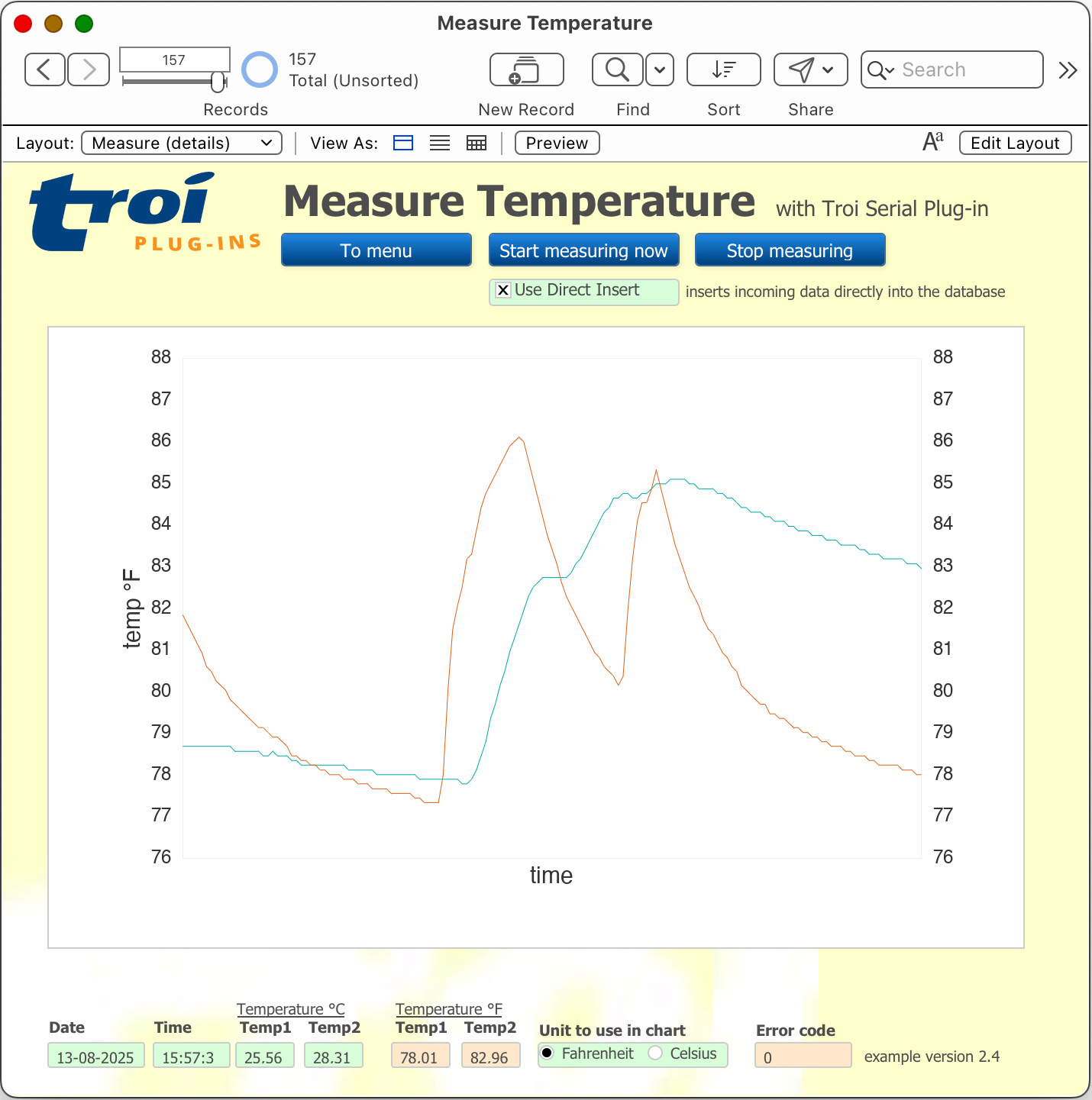
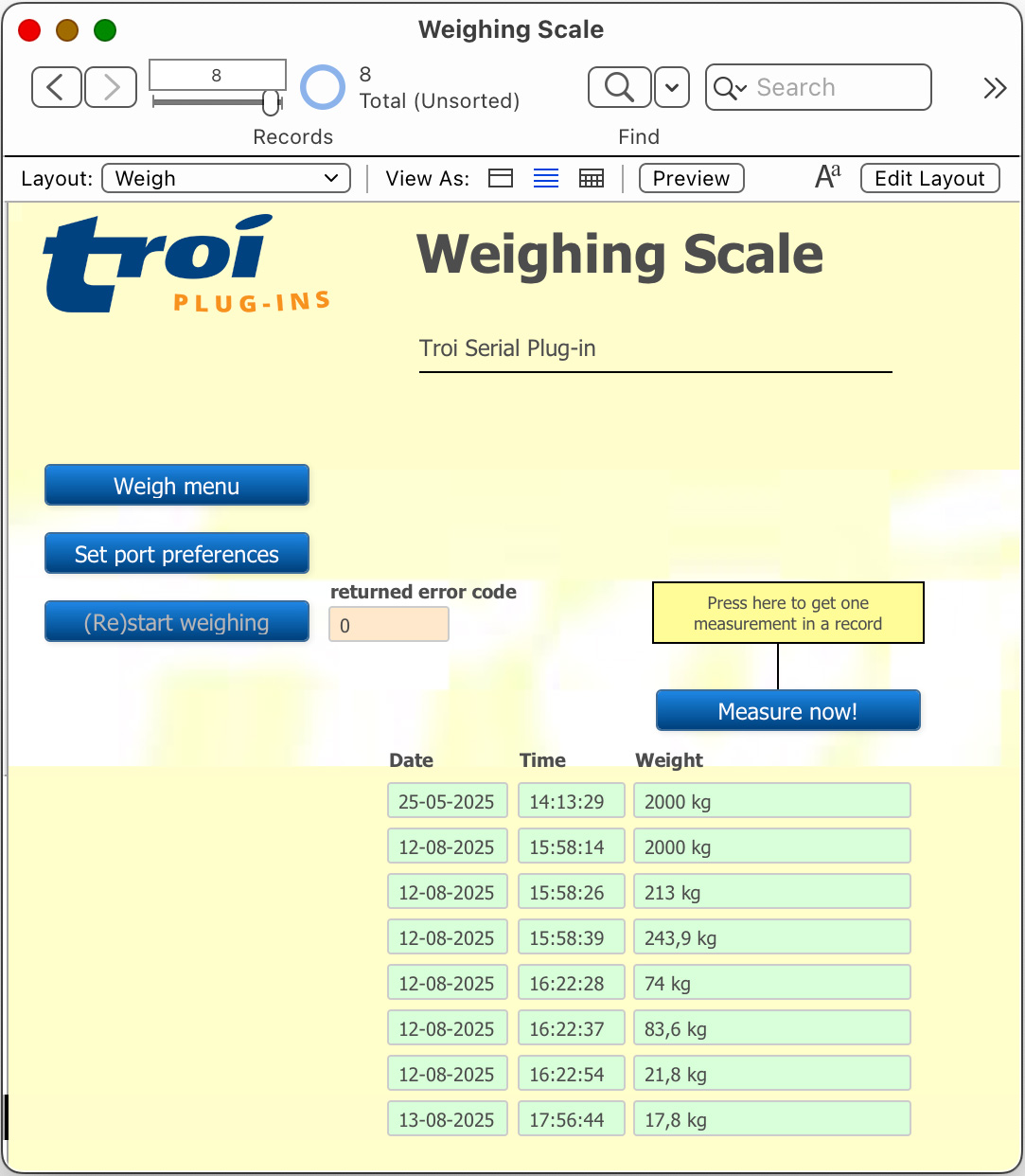
Click images to enlarge
With this plug-in you can connect to serial ports directly from FileMaker!
Serial Plug-in online help
Function and script step reference.
Serial Plug-in FAQ
See a list of Frequently Asked Questions about this plug-in.
Troi Serial Plug-in 5.5
Download version 5.5 for older versions of FileMaker Pro or Mac OS X.
Receive data from an external device in FileMaker Pro
Explains how you can receive data sent from an external device and have the plug-in start a script that processes the data.
Serial Plug-in Conversion from FileMaker Pro 6
(Older) information on how to convert databases which use Troi Serial from FileMaker Pro 6 to FileMaker Pro 7 and later.
Read and write to all devices with a serial interface!